Baymard Institute’s 2023 benchmark found that 50% of ecommerce sites fail to show adequate list item attributes. Test participants dismissed relevant products or left the site because of it.
List item is Baymard’s term for the card in a product grid, a search result or a carousel. Product card design comes down to which fields that card shows, in what order and in which states, so shoppers can compare products without leaving the grid.
What Is a Product Card, and How Does It Differ From a Product Page?
See the Pen
Product Card by M Hasan (@mlhazan)
on CodePen.
On a listing page, one compact unit summarizes one item with an image, title, price, rating and action. That unit is the product card, and shoppers use it to compare options and decide what to open.
Nielsen Norman Group defines a card as a small container of related information that works as a linked entry point to fuller details (Page Laubheimer, 2016). A product card applies that idea to a single product.
The card sits in a grid, search result or carousel and carries a handful of fields, all to earn the click. The product page does the heavier work. It holds the full gallery, description, specifications and order button, and it has to close the sale.
You’ll also see some guides use “product card” to mean the product page itself. That’s a different thing, and Baymard sticks with list item for the listing unit.
The broader card layout is a general interface pattern, and NN/g flags a weakness for catalogs. Cards scan more slowly than lists and compare poorly, since field positions shift from item to item. A product card avoids that only when every field sits in the same place on every item.
Which Fields Belong on a Product Card, and in What Order?
See the Pen
Product Card by Aleksandar Čugurović (@choogoor)
on CodePen.
Baymard’s research points to price, product title or type, thumbnail, rating average with rating count, and product variations as the core fields (Baymard Institute, 2023).
Small direct-to-consumer stores can drop site-provided ratings, and not every variation deserves a cue. A desk listing should show its sizes, while a shoe listing can skip them because shoppers assume sizes exist.
Required and optional fields
Thumbnail, price, title or product type and a link to the product page go on every card. Most stores also add the rating average and count, plus a variation cue such as color swatches. A sale badge, stock or delivery status and 1 to 3 category-specific attributes are situational.
If the catalog is visually driven, like apparel or decor, thumbnails and swatches carry most of the decision. Laptops and tools are different, since the deciding specs such as screen size and storage belong on the card itself.
Baymard’s 2023 research documents IKEA pairing a series name like KIVIK with a product type, 3-seat sofa, since the name alone identifies nothing.
Reading order and title truncation
A workable order is image, price, title, then rating. Baymard’s participants gave thumbnails a disproportionate share of attention and often ignored list items that had none.
Set the visual hierarchy with type size, weight and color, not extra borders. Baymard found that hard-to-scan list item information slowed assessment almost as much as having none.
Don’t lean on the F-pattern reading model to defend the order either. NN/g’s eyetracking of a flexible card layout showed users scanning in a semirandom pattern and looking back and forth between items.
Titles that run past 3 or 4 lines on mobile start to read as descriptions. Set a line clamp inside that limit and keep the product type in the visible part.
Baymard’s product list benchmark has a few numbers worth keeping in mind. 50% of sites do not show adequate list item attributes (Baymard Institute, May 2023). 64% do not include the same attributes consistently across similar items (Baymard Institute, August 2023), and 40% do not make each information element visually distinct (Baymard Institute, August 2023).
Missing attributes sent participants back and forth between the list and product pages, and some left the site.
How Should a Product Card Display Price and Discounts?
See the Pen
Pure CSS cards / Deal and Offer cards widget by Nishant Dogra (@mrdogra007)
on CodePen.
Show the current price in the heaviest text after the image and never hide it. Some participants in Baymard’s tests discarded products labeled “see price in cart” in favor of ones with a visible price.
On a sale item, put the current price first and heaviest, and strike the original price through in a lighter weight. A discount badge can use a percent or a currency amount. Just pick one and use it on every card. A variant price range, or “from” pricing, hints that variants exist but not which ones differ (Baymard, 2023).
86% of benchmarked sites show no price per unit for items sold in different quantities or volumes (Baymard Institute, July 2023).
Without it, shoppers divide in their heads, which led some to abandon products that suited them.
Walmart prints the per-roll cost beside the pack price on toilet paper, a pattern Baymard cites as the right one.
Keep the unit price smaller than the total price but easy to find.
It applies only to multiquantity items, and it fails when units differ across a list. In one drugstore listing, some medicines were priced per tablet and others per ounce, so no comparison was possible.
Which Image Ratio and Hover Behavior Work Best on a Product Card?
See the Pen
CSS Hover Card 🛒 by Sowmya Seshadri (@sowmyaseshadri)
on CodePen.
Pick one image ratio for the whole grid. Square works for hardware and packaged goods, and 4:5 or 3:4 portrait works for apparel.
Mixed ratios give uneven row heights and a ragged price line, which breaks fixed field positions. Crop to a single aspect ratio at upload, then reserve that space in CSS.
Hover images and extra thumbnails
Older guidance said one additional thumbnail on hover was enough. Baymard’s November 2024 update asks for at least 3 thumbnails including the default, and as many as 5 to 15 for apparel and accessories.
The change came from testing in furniture and apparel, where 1 or 2 images pushed participants to open product pages just to see more views.
Hover does not exist on touch screens, so signal extra images with a small carousel and dots that are visible by default. Baymard found desktop works with permanent or on-hover arrows, but mobile needs the indicators always on.
Lazy loading and alt text
About 16% to 17% of pages lazy-load their LCP image, a share that has held steady since 2024 (HTTP Archive Web Almanac, 2025).
On a category page, a first-row card image can be the LCP element. Cards below the fold get loading=”lazy”. The first row skips lazy loading, and the likely LCP image gets fetchpriority=”high”. Custom data-src loaders hide the image source from the browser, so keep them off first-row cards.
Alt text names the product and one differentiator, such as color or material, instead of opening with “image of”.
Which Actions Earn Space on the Card: Quick View, Quick Add or Wishlist?
See the Pen
Product Card by Virgil Pana (@virgilpana)
on CodePen.
Make the whole card one link, then add a second control only when it saves a trip to the product page. Baymard’s stance on quick views has shifted over the years, and the newer guidance still leaves room for them.
In 2022, Baymard said quick views suit visually driven products with few key attributes, since they keep shoppers in the list (Baymard, August 2022). That reversed the 2014 and 2015 advice to avoid them, after testing no longer showed shoppers mistaking the overlay for the product page or clicking it by accident.
The 2023 position is less friendly. For spec-driven products a quick view adds friction, and 21% of spec-driven sites still ship one (Baymard, August 2023). Even for visually driven items it works as a complement to a good list item, not a replacement.
A quick view is a modal laid over the list, so it only helps when the overlay holds what the card lacks. Spec-driven products carry more attributes than any overlay fits, and shoppers open the product page anyway.
Quick views suit sweaters. They do not suit laptops.
If you do ship one, the Back button should close the overlay and return to the list. At Nordstrom, Back sent shoppers to the homepage instead (per Baymard 2022). On mobile, leave the list visible behind the overlay so it does not pass for the product page, and put a product page link in the overlay where it’s visible without scrolling.
| Option | Works best when | Fails when | Evidence |
|---|---|---|---|
| Whole card as one link | Detailed list items on spec-driven products | Shoppers need more images or sizes before deciding | Baymard, 2023 |
| Quick view | Visually driven products with few key attributes | Spec-driven products, or a thin list item | Baymard, 2022 and 2023 |
| Add to cart in quick view | Shoppers shortlist 2 or 3 items to compare | The list item itself is weak | Baymard, 2022 |
| Wishlist icon | Saving items without leaving the list | It becomes one of several extra buttons | Coloplast design system |
Baymard’s 2022 testing found that add to cart works better inside a quick view than as a button on every list item, because shoppers use it to shortlist. A primary call-to-action in the default card state also competes with the card link for the same space.
Swatches and variant cues
Combine variations into one card per product, with swatches under the thumbnail, not one card per color (Baymard).
On mobile, show every color. When only a few swatches appear, some shoppers assume those are the only options and open the product page (Baymard guideline 2438, updated July 2026). An expandable swatch area or a scrolling row shows more colors, though the scrolling row risks scroll hijacking.
Which States Does a Product Card Need?
See the Pen
Product Card design with interaction and animation by Dustin (@godbayd)
on CodePen.
Default, hover, focus, selected, loading and out of stock cover a card. Each one changes a single visible thing, which keeps the set small enough to document as one component.
- The default state shows image, title, price, rating and badge, plus a wishlist icon if the store has one.
- On hover, a slight shadow or lift signals that the whole card is clickable (NN/g treats a slight drop shadow as a clickability signifier, 2016; Coloplast’s design system uses a soft shadow on hover).
- Keyboard focus gets a visible ring on the focused link.
- Selected means the favourite (wishlist) icon is switched on, a state Coloplast’s design system adds to its icon button for product cards.
- Loading is a spinner on the pressed button and a skeleton of the grid on first load.
- Out of stock gets a Sold out badge and a disabled add button, and the card stays in the grid.
Dawn applies its card hover effect only at viewport widths of 990px and up, as a 1.03 scale on the card image, and it limits its shape-morph hover effects to prefers-reduced-motion: no-preference (Shopify Dawn, October 2026).
The scale is a transform, and web.dev notes that a transform animation cannot push neighboring elements around. That makes it a safe CSS hover effect for a dense grid.
Nielsen Norman Group splits loading feedback by scope. Spinners suit a single module such as a card, while a skeleton screen suits a full-screen load under 10 seconds (reviewed September 2026). Below 1 second, neither helps.
So the grid gets a skeleton built at the final aspect ratio, and the card gets a spinner only on its own button. Dawn follows the same split, since its quick add button carries a loading spinner.
Dawn marks an unavailable product with a Sold out badge, disables the add button, and folds the badge into the link’s accessible name, so screen readers announce the status with the title.
How Many Product Cards Per Row, and Grid or List View?
See the Pen
Playing card CSS Grid eCommerce layout by Andy Barefoot (@andybarefoot)
on CodePen.
Visually driven catalogs usually do well with 2 columns on phones, 3 on tablets and 4 on desktop, while spec-driven catalogs move to a list view. Shopify’s Dawn theme follows the first half of that rule, because its card image sizes attribute assumes exactly those counts.
| Viewport | Columns assumed | Breakpoint |
|---|---|---|
| Phone | 2 | Below 750px |
| Tablet | 3 | 750px to 989px |
| Desktop | 4 | 990px and up |
Source: Shopify Dawn card-product snippet and base.css, main branch, October 2026. The stylesheet ships column classes from 1 to 6 at 990px and up, so 4 is a default, not a ceiling.
Change the column count and the gutter and card padding need re-checking too, since they all belong to one grid system. Dawn keeps separate gap variables for mobile and desktop.
Those variables swap at 750px through media queries, the same breakpoint where the image sizes hint moves from 2 columns to 3. Dawn builds the grid with flex-wrap and computed widths, while CSS Grid states the same layout with one repeat() declaration.
Grid view or list view
See the Pen
Flexy Product Cards by Jack Thomson (@Jackthomsonn)
on CodePen.
For visually driven products, grid view wins. Baymard’s guideline 2272 ties the grid to products where list items must carry enough visual information (first observed February 2015, updated July 2026).
Spec-driven products belong in a list, because thumbnails in a grid take the space the attributes need. Yet 23% of benchmarked sites still use grid view for spec-driven products (Baymard, August 2023).
The sources disagree on the first case. Nielsen Norman Group (2016) prefers lists for homogeneous items and limits image grids to narrow categories, while Baymard recommends the grid when thumbnails carry the decision.
B&H Photo lets shoppers switch views. A Baymard test participant who tried its grid view said it cost the comparison ability that list view gave.
Equal-height cards and spacing
Pin the price and button to the bottom with Flexbox inside each card. Dawn’s snippet has an extend_height flag, true by default, that stretches a card to the row’s height.
Titles of different length then stop pushing prices out of line, which keeps the fixed field positions intact across a row.
How to Make a Product Card Accessible
Most of a card’s accessibility comes down to WCAG 2.2 level AA criteria for text contrast, control contrast, target size and focus visibility. Text needs 4.5:1, controls and focus rings need 3:1, targets need 24 by 24 CSS pixels, and a focused link can never be fully hidden by sticky bars (W3C Understanding pages, updated May to September 2026).
Contrast and focus rings
Text needs 4.5:1 against the background, or 3:1 for large text (18 point, or 14 point bold). Sale badges, rating text and a muted original price all count. Icons, swatch outlines and focus indicators need 3:1 against adjacent colors.
The same color contrast check covers text that appears on hover or focus. W3C’s failing example for ratings is a pale yellow star on white at 1.2:1, so print the numeric rating beside the stars, as Dawn does.
Dawn draws focus as a 0.2rem outline at 50% of the foreground color with a 0.3rem offset (base.css, October 2026). Whether that reaches 3:1 depends on the color scheme, so test it per theme.
W3C exempts inactive controls from contrast rules, so a disabled Sold out button needs no ratio. The Sold out label beside it still does.
Target size and sticky headers
SC 2.5.8 sets a minimum target of 24 by 24 CSS pixels, with a spacing exception for smaller ones (W3C, May 2026). W3C’s own example fits a card, since it involves a magnifier button laid over a linked image.
At 24 by 24 pixels the button passes. At 16 by 16 it fails, because its 24 pixel spacing circle intersects the large image target.
Sticky headers cause the other failure. SC 2.4.11 fails a page when a sticky header or footer entirely hides a focused card link, and CSS scroll-padding is the sufficient technique (W3C, June 2026).
Link and button semantics
The whole card acts as one link, so the open question is where the anchor starts and stops. HTML’s content model keeps interactive elements, such as buttons, out of an anchor.
In WooCommerce, content-product.php opens the product link at priority 10 on woocommerce_before_shop_loop_item and closes it at priority 5 on woocommerce_after_shop_loop_item, ahead of the add to cart button at priority 10 (template version 9.4.0, October 2026).
Dawn puts the link on the title, the rating is an image role with a label, the review count carries visually hidden text, and the quick add button takes its name from both itself and the product title (Shopify Dawn, October 2026).
Dawn’s ARIA attributes tie each button name to the product title, so a screen reader hears “Choose options” with the product it belongs to, not a row of identical buttons.
How to Prevent Layout Shift and Add Product Markup
Give every card image an explicit width and height, and keep Cumulative Layout Shift at 0.1 or less for at least 75% of page visits (web.dev, updated February 2025).
Reserve space for images and late content
62% of mobile pages fail to set dimensions on at least one image, down from 66% a year earlier (HTTP Archive Web Almanac, 2025).
Browsers derive a default aspect ratio from the width and height attributes, so the card holds its space before the file arrives. Every srcset candidate has to share one ratio, which a single-ratio grid already guarantees.
Dawn writes the media width and height onto every card image, in a srcset that runs from 165 to 1066 pixel widths.
Ratings or badges that a script fills in later need reserved space, set with min-height. Keep that space when a widget returns nothing too, since removing it shifts the row as much as adding content does.
Hover effects and load more
Hover is a known cause of layout shift. Web.dev counts any shift that happens while the pointer rests on content as unexpected, even inside the 500 millisecond window that normally excuses user-initiated shifts.
A quick add button that appears on hover therefore needs reserved space or an overlay.
A load more button the shopper presses keeps new cards out of the CLS score within 500 milliseconds, and web.dev suggests prefetching so they appear at once.
Lighthouse flags images missing width and height and lists shifted elements, but lab runs measure the initial load. Field data from the Chrome UX Report covers the page’s whole life, so hover and scroll shifts show up only there.
Product markup on cards and product pages
Google’s merchant listing documentation recommends Product structured data on product pages, not on pages that list products or a category (Google Search Central, retrieved October 2026).
Product rich results only support pages that focus on a single product, so a card grid is not eligible. The card’s job is to match what the product page markup and the Merchant Center feed say, because Google can verify merchant listing data before showing it.
The price patterns on the card map straight onto that markup. For a sale price, put the current price in price and the original price as a UnitPriceSpecification with priceType StrikethroughPrice. A unit price uses referenceQuantity with a value and a unitCode, for example 100 ML. A sale window takes validFrom plus priceValidUntil or validThrough, in ISO 8601.
JavaScript-generated Product markup can make Shopping crawls less frequent and less reliable for fast-changing price and availability. Put it in the initial HTML.
How to Build and Document a Product Card Component
See the Pen
Pure CSS Product Card by Adam Kuhn (@cobra_winfrey)
on CodePen.
Build the card as one documented component, working from content model to platform template.
- Write the content model per catalog type: required fields, optional fields, line limits
- Fix the aspect ratio, column counts and spacing variables
- Draw every state as a Figma variant
- Build the markup with one link, buttons outside it and image dimensions set
- Write one Storybook story per state
- Run Lighthouse and the Storybook accessibility tests
- Map the component onto the platform template
In Figma, a variant property such as state takes values like default, hover, pressed and disabled, and each variant must be a unique combination of values. A walkthrough on creating variants in Figma covers the mechanics.
Figma does not require a variant for every combination, and it warns that importing large component sets slows files down (Figma Help Center).
A Storybook story captures the rendered state of a component, and one component can have several stories, one per state (Storybook docs, version 10.6). Autodocs turn those stories into usage guidelines for a design system, and the accessibility tests run against the same stories.
Platform templates: Shopify Dawn and WooCommerce
Dawn’s card-product snippet takes media_aspect_ratio (square or portrait, with portrait set to 0.8, which is 4:5), show_secondary_image (default false), show_vendor, show_rating, quick_add and lazy_load (default true). A section that renders the first row can pass lazy_load false.
WooCommerce wraps each product in a list item in content-product.php and fires five hooks in order, starting with link open, then sale flash and thumbnail, title, rating and price, and finally link close and add to cart. Override it by copying the file to yourtheme/woocommerce/content-product.php (template version 9.4.0, October 2026).
An override freezes the markup. When WooCommerce bumps the template version, the copy needs a manual update, as the file header itself warns.
Product Card Design Examples To Check Out
Chairin’ it: Chair Product Card
See the Pen
Chair Product Card by Scottie (@sdcrowe23)
on CodePen.
Take a Spin: 3D Product Card
See the Pen
3D Product Cards by Zac (@zremboldt)
on CodePen.
Freestylin’: Free Product Card CSS Code
See the Pen
Product Card by Tshepo Levy Mooka (@TshepoMooka)
on CodePen.
Groovy Moves: Animated Product Card Flip
See the Pen
Product card flip by Samir Boudaoud (@SamirB)
on CodePen.
Keeping it Real: Simple Product Card UI Design
See the Pen
Simple Product Card UI Design using Html – CSS by samuel garcia (@sam_garcia2)
on CodePen.
Tee Time: Basic Tee Product UI Card
See the Pen
Product Page by Chase Marlow (@chase-marlow)
on CodePen.
Taste the Crunch: E-commerce Product (Delicious Apples)
See the Pen
E-commerce Product (Delicious Apples) by John Mantas (@john-mantas)
on CodePen.
Day 002: Furniture Showcase
See the Pen
Day 002 – Product Card by Jonathan Obino (@jonathanobino)
on CodePen.
Adaptable & Cool: Responsive Product Card
See the Pen
Responsive Product Card View With Change Color/Image Functionality by Anuz Pandey (@anuzbvbmaniac)
on CodePen.
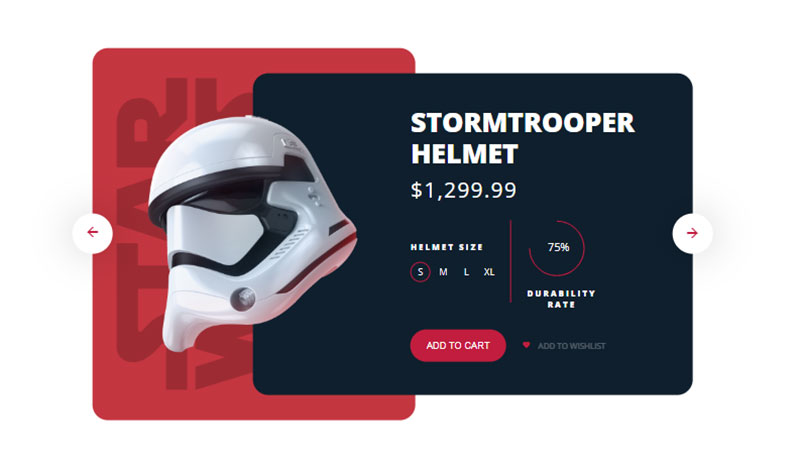
Galactic Goodness: UI to Code – Star Wars Product Card
See the Pen
#8. UI to Code – Star Wars Product Card by Praveen Bisht (@prvnbist)
on CodePen.
Baker’s Delight: Bakery Product Card
See the Pen
Bakery Product Card by Winnie 🇰🇪 🇰🇪 🇰🇪 (@winysummer)
on CodePen.
Marko’s Mastery: Product Card wip
See the Pen
Product Card wip by Marko Bolliger (@cannap)
on CodePen.
Monochrome Magic: Shopping Card UI
See the Pen
Shopping card UI by Tobi Balogun (@cupofmint)
on CodePen.
Jingle Bells: Christmas Product Card
See the Pen
product card by Arti Bhandari (@arti2002)
on CodePen.
Tilt the Scale: Skewed eCommerce Cards
See the Pen
Responsive skewed eCommerce CSS Grid by Andy Barefoot (@andybarefoot)
on CodePen.
Just Do It: Sneaker Product Cards
See the Pen
Sneaker Product Cards by ayush gupta (@ayushgptaa)
on CodePen.
Sleek and Chic
See the Pen
UI design product by Genaro Colusso (@genarocolusso)
on CodePen.
Pricing with Pizzazz
See the Pen
CSS Cards by Tristan White (@triss90)
on CodePen.
Eye-Catcher 101
See the Pen
Product Card UI / CSS by Omar Dsooky (@linux)
on CodePen.
Oscar’s Gem
See the Pen
Product card by Oscar (@olhilton)
on CodePen.
Nike’s On Your Screen
See the Pen
Daily UI #012 | E-commerce Shop (Single Item) by Julie Park (@juliepark)
on CodePen.
Elegance Overload
See the Pen
Simple Product Card by Ethan Thompson (@ethanthompson)
on CodePen.
Crafting with CodeFrog: A UI Dream
See the Pen
UI Design – Product Card by CodeFrog (@CodeFrogShow)
on CodePen.
Kick it with Nike
See the Pen
Product Card by Alexander Haniotis (@haniotis)
on CodePen.
Less is More: The Elegant Way
See the Pen
Minimalistic & Elegant eCommerce card by SliceCrowd (@slicecrowd)
on CodePen.
Slide Into the Info
See the Pen
Product Preview(hover) by Bruno Rodrigues (@itbruno)
on CodePen.
Square it Up with Card Layout
See the Pen
card layout by Paul Krisadaolrn (@paulyk)
on CodePen.
Simplicity Rules with Deni Kurniawan
See the Pen
Product Card by Deni Kurniawan (@wingerdstok)
on CodePen.
Get Animated with Eduardo
See the Pen
UI to Code #1: Juuce App by Eduardo Moreno (@emoreno911)
on CodePen.
Michael’s Triple Threat: Sleek & Interactive
See the Pen
Sleek interactive product card layout by Michael Murphy (@Mik2287)
on CodePen.
Product Card Design FAQ
Is a product card the same as a product tile?
Yes, in everyday use. Both names describe the compact unit that summarizes one product in a grid, and Baymard’s research calls it a list item.
The word card usually implies a bordered, shadowed container, which is how Nielsen Norman Group defines the pattern.
Where can I find product card examples?
See the Pen
#1418 – Product Card by LittleSnippets.net (@littlesnippets)
on CodePen.
Baymard’s library holds more than 18,000 annotated ecommerce design examples, including product list screenshots from benchmarked stores (Baymard Institute, 2026).
Design systems such as Coloplast’s document card anatomy, and Shopify’s Dawn theme publishes working card code on GitHub.
Does a better card raise the conversion rate?
It raises it indirectly. A card decides which products a shopper opens, so the first change shows up in click-through to product pages, not in orders.
Track click-through and add-to-cart rate per card before crediting a design change with a conversion lift.
Are product cards used outside category pages?
Yes. Cards appear in search results, carousels and recommendation rows as well as category grids, and Baymard’s thumbnail research treats product lists and search results as one pattern.
The same component works in each place only while its fields keep the same positions.
Which Product Card Changes to Test First
Test in order of how many cards each change touches. Field order and attributes go first. Image ratio and the hover image come next, and the quick add and wishlist buttons go last.
Field changes reach every card in the grid and need no layout rework, so a gain or a loss shows up fastest. Button tests come last because they depend on the card already showing the right information.
The trade-off is speed. One variable per test makes each round slower, but a combined change cannot show which edit moved the add-to-cart rate.
Run each test across whole weeks so weekday and weekend traffic both appear. Repeat it after any change to column count, since a result at four columns does not carry over to two.

Many of his resources are available on various design marketplaces. Over the years, he's worked with a range of clients and contributed to design publications like Designmodo, WebDesignerDepot, and Speckyboy, Slider Revolution among others.
- What is Backend in Web Development? - September 13, 2026
- What is Frontend Development? - September 11, 2026
- How to Make a Button in Figma: Design Best Practices - September 10, 2026

