Soft UI buttons and toggles, the ones that look raised out of the page or pushed into it, come down to a small amount of CSS.
Two box-shadows do the work, one light and one dark, on an element that shares its parent’s background color. Add the inset keyword and the raised look flips to pressed. Designers mostly reach for it on buttons, toggles and cards.
The default palette has a measurable weakness, though. The W3C’s WCAG 2.2 documentation (latest Recommendation update: December 2024) sets 3:1 as the minimum contrast for interface components, yet the common #e0e5ec surface against its #babecc shadow calculates to 1.46:1 under the WCAG luminance formula.
What is CSS neumorphism?
See the Pen
Neumorphism: The CSS way! by Shounak (@dasshounak)
on CodePen.
Take the shadows away and you’re left with a flat grey box on a flat grey page. That’s the whole trick, really. The shadows carry all the depth.
The name blends “neo” and “skeuomorphism” (Built In). You will also see it written as neomorphism or soft UI.
It’s built from CSS alone, no images or JavaScript, and the two opposing shadows imitate one light source hitting a molded surface. The one hard requirement is that the element and its parent share a background color.
A standard drop shadow lifts an element above the page. Neumorphism keeps it inside the page instead, which is why it works as a surface treatment across a whole user interface and not just on a single component.
You only need plain CSS for it. box-shadow does most of the work, with border-radius and background playing along.
Neumorphism compared with skeuomorphism, flat design and glassmorphism
See the Pen
A bit of neumorphism by Damir (@drovosek2703)
on CodePen.
Most people place neumorphism somewhere between skeuomorphism and flat design. It holds on to some physical depth but drops the realistic textures and gloss (CSS-Tricks).
That puts Neumorphism as a design style in an odd spot, borrowing depth from one parent and restraint from the other.
| Style | Depth cue | Background need | Contrast profile |
|---|---|---|---|
| Skeuomorphism | Textures, gloss, realistic detail | Any | Strong, often heavy |
| Flat design | Color blocks, no shadows | Any | Good, weak click cues |
| Neumorphism | Paired light and dark shadows | Mid-tone, solid, same as the element | Low, usually under 3:1 |
| Glassmorphism | Blur and translucency | Busy backdrop to blur | Shifts with the backdrop |
The frosted-glass look called glassmorphism needs a colorful backdrop to blur, which makes it a poor match for neumorphism and its single solid surface.
Origin and timeline
Apple showed off a flat iOS 7 at WWDC in 2013 (TechCrunch, 2013), and flat design more or less owned the mainstream until 2019 (UX Planet). Then, in late 2019, Alexander Plyuto posted a banking app concept on Dribbble and the shot went viral (Built In, OpenReplay).
By 2020, soft UI was the most trending digital design pattern of the year (OpenReplay).
In April 2022, CRED, an app that had adopted a neumorphic look, moved over to its NeoPOP design system (UX Planet, 2022).
Nobody agrees on who named it. Wikipedia says Jason Kelly. Built In and UX Planet trace it to a comment thread under a Michal Malewicz article, and SVGator gives Malewicz the credit directly. I’d treat any single attribution as unsettled.
How box-shadow creates the neumorphic effect
One shadow goes dark and sits offset away from the imagined light. The other goes light and sits offset toward it. Stack them on an element whose background matches its parent and you get a raised surface. Flip both to inset and the surface reads as pressed.
body { background: #e0e5ec; }

.card {
background: #e0e5ec;
border-radius: 16px;
box-shadow: 8px 8px 16px #babecc, -8px -8px 16px #ffffff;
}
Shadow syntax and parameters
The first two lengths set the x and y offsets. A negative x moves the shadow left, and a negative y puts it above the element. Blur radius comes next, where a larger value gives a bigger, lighter shadow and negative values are invalid.
Spread is optional. Positive values grow the shadow, negative values shrink it. Then there’s inset, another optional keyword, which moves the shadow inside the box and clips it to the padding box.
According to MDN Web Docs (2026), the first shadow in a comma-separated list sits on top. Box-shadow also never changes box dimensions, so a pressed state does not shift the layout around it.
Tuning these numbers by eye is slow, and a box shadow generator shows both layers live.
Choosing the base color and shades
The base color decides whether the effect works at all.
Pick a mid-tone, flat, solid background and give the element the exact same color. #e0e5ec is the grey most generators treat as the standard neumorphic surface (coddy.tech).
Derive the two shadows by shifting that base, a few steps darker for the shadow and near white for the highlight. Pure black and pure white shadows make the card look cheap, per coddy.tech’s generator guide.
A white page makes the white highlight vanish, since there’s nothing to contrast against. Change the offsets between elements and the light source seems to wander around the page, and shades far from the base color make the card look pasted on instead of molded.
Corners count too. A box-shadow follows border-radius, so the radius gives the shadow its soft outline (MDN Web Docs, 2026), and a border radius generator settles the value quickly.
How to build a neumorphic button in CSS
See the Pen
Neumorphic Buttons by Sikriti Dakua (@dev_loop)
on CodePen.
Same background as the page, a raised two-layer box-shadow, then inset shadows on :active for the pressed state. That’s the core of it. Most raised-to-inset snippets you’ll find skip the transition fix though, so watch step 5.
- Set the same background on the page and the button, for example
#e0e5ec. - Remove the native border and round the corners with
border-radius: 12px. - Add the raised state:
8px 8px 16px #babeccand-8px -8px 16px #ffffff. - Build the pressed state on
:activeby moving both shadows inside with theinsetkeyword. - Pad each state with zero-size shadows so both lists hold four entries in the same order. That lets the transition animate.
- Add a visible
:focus-visibleoutline, because the shadow swap alone is a weak state signal.
.neu-btn {
background: #e0e5ec;
border: none;
border-radius: 12px;
padding: 14px 28px;
color: #2d3440;
box-shadow:
px 8px 16px #babecc,
-8px -8px 16px #ffffff,
inset 0 0 0 #babecc,
inset 0 0 0 #ffffff;
transition: box-shadow 0.2s ease;
}

.neu-btn:active {
box-shadow:
0 0 0 #babecc,
0 0 0 #ffffff,
inset 8px 8px 16px #babecc,
inset -8px -8px 16px #ffffff;
}

.neu-btn:focus-visible {
outline: 2px solid #2d3440;
outline-offset: 4px;
}
Why the padding step matters
MDN Web Docs (2026) states that shadows are paired in order during a transition. If any pair differs in its inset setting, the whole list skips the animation and jumps to the new values.
A plain outer-to-inset swap therefore snaps instead of easing. Matching the list shape fixes it.
Why the focus step matters
WCAG 2.2 SC 1.4.11 requires at least 3:1 contrast against adjacent colors for visual information that identifies components and states (W3C). A raised-to-pressed swap on a matching background typically falls short of that.
Keep :hover for something subtler, like a slightly larger blur. A hover that fakes a press tells mouse users the click already happened. More options live in these CSS button hover effects.
If you need a lot of variants, a CSS button generator speeds up the first draft before you apply the shadow pairs by hand.
Neumorphic states and the components that suit them
A neumorphic element has to handle default, hover, focus, pressed and disabled states. Shadows do most of that work, though never all of it.
| State | Shadow behavior | Extra signal needed |
|---|---|---|
| Default | Raised pair outside the element | Visible text label or icon |
| Hover | Smaller offset and blur, slightly flatter | Pointer cursor |
| Focus-visible | Unchanged | Solid outline in a dark color |
| Pressed or checked | Outer pair collapses, inset pair appears | Accent color or aria-pressed |
| Disabled | No shadow, flat surface | Native disabled attribute |
Toggles, cards and sliders
See the Pen
Neumorphism Toggle by Aaron Iker (@aaroniker)
on CodePen.
Toggles suit this style better than anything else. The track sits inset, the knob raised, and the pressed idea is already built in.
If you want a deeper walkthrough of the markup behind switches, the guide on how to build a CSS toggle switch covers the non-neumorphic baseline.
.neu-toggle {
appearance: none;
position: relative;
width: 56px;
height: 30px;
border-radius: 15px;
background: #e0e5ec;
box-shadow: inset 4px 4px 8px #babecc, inset -4px -4px 8px #ffffff;
cursor: pointer;
}
.neu-toggle::after {
content: "";
position: absolute;
top: 3px;
left: 3px;
width: 24px;
height: 24px;
border-radius: 50%;
background: #e0e5ec;
box-shadow: 3px 3px 6px #babecc, -3px -3px 6px #ffffff;
transition: transform 0.2s ease;
}
.neu-toggle:checked::after {
transform: translateX(26px);
background: #2f55c8;
}
.neu-toggle:focus-visible {
outline: 2px solid #2d3440;
outline-offset: 4px;
}
Only transform animates here. The shadows stay fixed, which keeps the transition cheap to paint (more on that in the last section).
The checked knob turns saturated blue, so the on state does not depend on shadow geometry.
Convex and concave surfaces
See the Pen
Neumorphic Shadow Variations – Depth by Geoff Graham (@geoffgraham)
on CodePen.
A flat shadow pair reads as a raised plate. Put a slight gradient on top and the surface looks curved.
Convex surfaces go from light to dark starting at the top left, and concave ones flip that. Keep both gradient stops close to the base color, otherwise the element stops matching its parent. A tool like the CSS gradient generator helps you find stops that stay inside that range.
.neu-card--convex {
background: linear-gradient(145deg, #f0f5fc, #cacfd6);
box-shadow: 8px 8px 16px #babecc, -8px -8px 16px #ffffff;
}
.neu-card--concave {
background: linear-gradient(145deg, #cacfd6, #f0f5fc);
}
Components that work and components that struggle
Toggles, buttons with clear labels, music player controls, knobs and cards with a single purpose all suit it. Inputs, selects and progress bars don’t, because users need to tell empty from filled and open from closed at a glance.
Sliders land in the middle. The track works inset, but the filled portion needs a color, not just depth.
CSS-Tricks warns against stateful inputs for this reason, and it holds up in practice. A progress bar built only from shadows tells you very little about progress.
Is CSS neumorphism accessible?
See the Pen
Neumorphism Accessibility Example by Michael J. Fordham (@michael-j-fordham)
on CodePen.
Not by default. The style fails the non-text contrast requirement from WCAG 2.2 as drawn, and no amount of careful coding fixes that without changing the design.
Key contrast figures
The base #e0e5ec against the dark shadow #babecc comes to 1.46:1, calculated with the WCAG relative luminance formula. In the Plus Addons contrast testing, the best case reached 1.86:1, which is still far below what a control boundary needs.
Body text is a different story. SC 1.4.3 asks for 4.5:1, and dark text such as #2d3440 on the same base clears it with room to spare.
A 1px border in #767f91 on that base gives 3.18:1, which passes the non-text threshold.
What WCAG actually measures
The Understanding document for SC 1.4.11 says to evaluate colors as they appear in the stylesheet, not as they look after the blur is rendered. That matters here, because a soft shadow looks gentler than its declared values.
The same document says a visible boundary is required only when nothing else identifies the control. A clear text label or icon can carry identification, which is a different route from the one most fixes take. Anyone auditing a design should check color contrast on the label and the boundary separately, then treat the focus indicator as its own step.
Fixes that work
The simplest repair is a border in a color that passes against the base, and Boundev recommends exactly that. Plus Addons takes another route. It points to text labels and state indicators that do not rely on shadow, such as a color fill or a check mark, which meet the requirement without a border. Both sources are right, they just describe different routes.
Either way, use a strong :focus-visible outline that does not rely on shadow, and show state with an accent color, text or icon instead of depth alone.
Pick one route per component and apply it consistently. Mixing them across a page makes the interface look uneven.
Testing the result
The WebAIM Contrast Checker now reports a result for graphical objects and UI components, so it handles the border and accent checks. It cannot judge whether a shadow-only control is identifiable.
The Texas A&M IT accessibility guide makes the same point, that graphical objects still need manual verification. If your palette fails, an accessible color palette generator gives you candidate border and accent colors faster than trial and error.
Dark mode, design tokens and generators for neumorphic shadows
Dark neumorphism works, but it needs its own shadow values. Reusing the light palette with a darker base produces a muddy result.
Building a dark theme
See the Pen
Dark Neumorphism Circle Loader by Robbe Huybrechts (@Robinskie)
on CodePen.
Make the shadow darker than the base. The highlight should be lighter than the base, though not white, because a white highlight on a dark surface looks like a glow.
Boundev describes a palette of #2d2d2d for the base, #3a3a3a for the highlight and #1a1a1a for the shadow. It also argues that dark mode often gives better contrast than light mode.
Plus Addons measured the opposite. Its dark themes scored lower than its light ones. The numbers support Plus Addons: #2d2d2d against #1a1a1a computes to 1.26:1, which is no improvement on the light palette. Treat dark mode as a visual preference, not an accessibility fix.
prefers-color-scheme is Baseline widely available, so the media query is safe to use without a fallback.
Design tokens in plain CSS
Base, dark shade, light shade and text color all go into custom properties, and components then reference a single shadow variable.
:root {
--neu-bg: #e0e5ec;
--neu-dark: #babecc;
--neu-light: #ffffff;
--neu-text: #2d3440;
--neu-shadow: 8px 8px 16px var(--neu-dark), -8px -8px 16px var(--neu-light);
}
@media (prefers-color-scheme: dark) {
:root {
--neu-bg: #2d2d2d;
--neu-dark: #1a1a1a;
--neu-light: #3a3a3a;
--neu-text: #e6e6e6;
}
}
.neu-card {
background: var(--neu-bg);
color: var(--neu-text);
box-shadow: var(--neu-shadow);
}
Tailwind and Figma
Tailwind v4 reads theme variables named --shadow-* and turns each one into a utility. Teams already working with Tailwind CSS can register the neumorphic pair once and reuse it everywhere.
@theme {
--shadow-neu: 8px 8px 16px #babecc, -8px -8px 16px #ffffff;
--shadow-neu-inset: inset 8px 8px 16px #babecc, inset -8px -8px 16px #ffffff;
}
That gives you shadow-neu in markup. For a one-off value, shadow-(--neu-shadow) pulls from a custom property and shadow-[...] takes a raw value. Tailwind’s own inset-shadow-* utilities also exist, but the documented examples each use a single shadow, so the paired inset look is safer as the custom token above.
On the design side, keep the Figma names identical to the CSS names. The Figma variables guide explains how to store the base and shade colors as variables so a theme switch updates every frame.
Using generators without trusting them
Many generators output only the raised state. They rarely pad the pressed state with matching zero-size pairs, so the transition snaps, as covered in the button section.
Use them for a first draft of the numbers, then check the output against the same-background rule and your contrast figures.
When neumorphism does not fit
Skip it when users have to scan a lot or act fast. The style trades legibility for atmosphere, and some interfaces can’t afford that trade.
Strengths and limits at a glance
| Strengths | Limits |
|---|---|
| Cohesive, calm look on simple control panels | Low contrast between element and background |
| Pure CSS, no images or extra assets | Needs the element and parent to share one color |
| Natural pressed states using inset shadows | Shadow-only state is invisible to many users |
| Easy to theme with custom properties | Shadows disappear in forced colors mode |
Dashboards and dense interfaces
See the Pen
Neumorphic Calculator by February (@fbry)
on CodePen.
Sources disagree on dashboards. Boundev rates data-dense ones as a poor fit, while Plus Addons lists thermostat dashboards as a good one.
Both can be true. A dashboard made of a few large controls suits the style. One packed with charts and status-colored tables does not, because every added element competes for the same faint depth cues.
Call-to-action elements
See the Pen
Satisfying Button (Neumorphism) by Yuhomyan (@yuhomyan)
on CodePen.
Primary actions need to stand out. A well-built call-to-action relies on contrast and color, and a raised surface that matches its background does neither.
Use an accent fill for the main action and keep neumorphism for secondary controls. Or drop it for that button entirely.
Performance on long pages
Boundev suggests promoting neumorphic elements that actively animate to their own compositing layer with will-change, and warns against applying it to every element. The web.dev animation guidance is more cautious still. Shadows are expensive to paint because of the blur, so animations should stick to transform and opacity, and will-change should be used sparingly.
The safer approach follows web.dev. Do not animate box-shadow across long lists. Put the pressed shadow on a pseudo-element and fade its opacity instead.
Browsers and forced colors
Basic support is not the problem. box-shadow has been Baseline widely available since July 2015, so most cross-browser compatibility concerns here come from rendering differences, not missing features.
The real gap is forced colors mode, where browsers override box-shadow to none. Add border: 1px solid transparent to controls. The border stays invisible normally, but it appears in forced colors mode and keeps the control visible.
CSS Neumorphism Examples
Neumorphism Menu By Wouter
See the Pen
Neumorphism menu by Wouter (@wouterXD)
on CodePen.
Fingerprint scan
See the Pen
Fingerprint scan by Cassie Evans (@cassie-codes)
on CodePen.
Animation Effects CSS3 Neumorphism
See the Pen
Creative CSS Animation Effects CSS3 Neumorphism by samuel garcia (@sam_garcia2)
on CodePen.
Neumorphism Login Form
See the Pen
Neumorphism Login Form by Ricardo Oliva Alonso (@ricardoolivaalonso)
on CodePen.
Neumorphic Presentation Design by Oleksii Kolosov

Nuemorphic Table By Abhishek Anil Deshmukh
See the Pen
Nuemorphic Table by Abhishek Anil Deshmukh (@abhishek-deshmukh)
on CodePen.
Neumorphic Dominoes
See the Pen
Neumorphic Dominoes by P (@petegarvin1)
on CodePen.
Neumorphism Icon Set by Agente

Neumorphic Action Menu Animation by Vadim Demenko
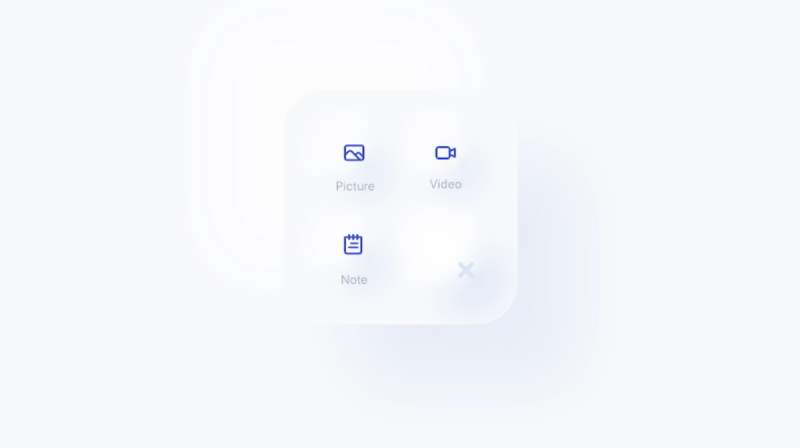
Neuburger
See the Pen
Neuburger by Jacob Lockett (@HuntingHawk)
on CodePen.
Neumorphic Brick Phone
See the Pen
Neumorphic Brick Phone by Jon Kantner (@jkantner)
on CodePen.
Instagram Neumorphic Redesign Concept

Neumorphism On-off
See the Pen
Neumorphism On off by Arslan Khan (@Arslan777)
on CodePen.
Neumorphic Text Magic
See the Pen
Editable Neumorphic Text by Adam Kuhn (@cobra_winfrey)
on CodePen.
Weather App Gone Neumorphic
See the Pen
Neumorphism Weather App by Travis Williamson (@travisw)
on CodePen.
Those Neumorphic Tabs Tho!
See the Pen
Neumorphic tabs by Michael Burridge (@mburridge)
on CodePen.
Fitbit’s Neumorphic Makeover
See the Pen
Neumorphic Fitbit UI by Jon Kantner (@jkantner)
on CodePen.
Buttons So Real, They’re Surreal
See the Pen
Quite realistic buttons by Steffen Gramberg (@minustalent)
on CodePen.
White Neumorphism Buttons, Baby!
See the Pen
Neumorphism Buttons by zeynep (@zeynepozdem)
on CodePen.
Neumorphism’s Colorful Modal
See the Pen
Neumorphism study (change color with dot, best in Chrome) by Scott Kellum (@scottkellum)
on CodePen.
Neumorphic Forms, Anyone?
See the Pen
Neomorphic Form by Swapnil (@swapnet)
on CodePen.
That Neumorphism Button
See the Pen
Neumorphism Button by Naoya (@nxworld)
on CodePen.
Web OP-1: Neumorphism’s Jam
See the Pen
Web OP-1 by Līva Raita (@liva_raita)
on CodePen.
Neumorphism Calendar with that Gradient Glow

Blowing Bubbles, Neumorphic Style
See the Pen
Neumorphic Bubbles by Aniket Kudale (@aniketkudale)
on CodePen.
Neumorphic Loading Goodness
See the Pen
Neumorphic Loading Animation by Ruphaa Ganesh (@ruphaa)
on CodePen.
Radio Waves the Neumorphic Way
See the Pen
Neumorphic Radio by halvves (@halvves)
on CodePen.
Music Player with Neumorphic Vibes
See the Pen
Music Player Neumorphic (Soft UI) Style by Dilum Sanjaya (@dilums)
on CodePen.
Neumorphic Design: The HTML, CSS, and JavaScript Flair

Testing the Neumorphic Waters
See the Pen
neumorph test by victor (@VictorUx)
on CodePen.
Catch the Neumorphic Waves
See the Pen
neumorphism waves by Kilian So (@kilianso)
on CodePen.
The Soft-UI Button Groove
See the Pen
Soft-UI Button Pattern by Tyler Scott Williams (@ogdenstudios)
on CodePen.
Seeking with the Neumorphic Search Bar
See the Pen
Neumorphism Search Bar by Tran Dinh Trung (@tdtrung17693)
on CodePen.
Paying with Neumorphic Elegance
See the Pen
Neumorphism by Angius (@Angius)
on CodePen.
Squishing the Neumorphic Way
See the Pen
Neumorphism Button – Squishy by Ahmad Emran (@ahmadbassamemran)
on CodePen.
Socializing with Neumorphic Icons
See the Pen
Neumorphism – Animated Social Icons by Jitendra Nirnejak (@nirnejak)
on CodePen.
Glowing Neumorphism Circles

Press That Neumorphic Button

Social Media Icons Get Neumorphed

Loading… But Make It Neumorphic

CSS Neumorphism FAQ
Does CSS neumorphism work on mobile screens?
Yes. Shadow offsets are fixed pixels, so they do not shrink with the element. Define offset and blur in rem or in custom properties that change per breakpoint, otherwise a 16px blur swamps a small button on a phone.
How should hover effects behave on touch devices?
Wrap hover styles in a (hover: hover) media query so touch screens skip them. The pressed inset state then becomes the main feedback, which is what phone users actually see. Keep tap targets at least 24 by 24 CSS pixels, the WCAG 2.2 minimum.
How do you create the neumorphic effect in Figma?
Fill a rectangle with the page color, then add two drop shadows. One is dark with positive X and Y offsets, the other is light with negative offsets.
Switch both to inner shadow for the pressed state. Dev Mode then lists the matching values for your CSS.
Can filter: drop-shadow replace box-shadow?
Only partly. The drop-shadow function follows the element’s alpha shape, which suits icons and irregular outlines. It has no inset or spread, so pressed states still need box-shadow. Chain two drop-shadow calls to get the raised pair.
Can a neumorphic element sit on a gradient or photo background?
See the Pen
Neumorphism Gradient Loader by samuel garcia (@sam_garcia2)
on CodePen.
Only on a very subtle gradient. The element must match whatever is behind it, and a photo or strong gradient breaks that match.
Put the controls on a solid color panel and keep the image outside it.
Does neumorphism work with Bootstrap or other component libraries?
See the Pen
Neumorphism with Materialize CSS example by Adrian Bece (@AdrianBece)
on CodePen.
Yes, as a custom class layered over the component. Set the component’s background to the parent color, apply your shadow tokens, and keep a border color that passes contrast.
Keep all overrides in one class, so removing the style later is a single deletion.
Where Neumorphism Belongs in a Production Interface
Toggles, knobs and secondary buttons are fine candidates. Data tables and form fields are not, and neither is the primary action.
Fix things in this order. Start with a passing border or label, then a distinct focus and state signal, and only after that the dark theme and tokens.
Contrast comes first because it blocks users, while theming only changes appearance. A shadow pair needs roughly twice the contrast of the default palette to pass alone, and that extra contrast removes the soft look.
The trade-off is a visible border on every control. The surface ends up less pure, but it stays usable.
Teams that keep the style should store the shared values in one place, and a guide on how to create a design system in Figma is the natural next step.
This position was verified on 14 October 2026 against WCAG 2.2. A revised contrast requirement for interface components would change it.

Many of his resources are available on various design marketplaces. Over the years, he's worked with a range of clients and contributed to design publications like Designmodo, WebDesignerDepot, and Speckyboy, Slider Revolution among others.
- What is Backend in Web Development? - September 13, 2026
- What is Frontend Development? - September 11, 2026
- How to Make a Button in Figma: Design Best Practices - September 10, 2026

