


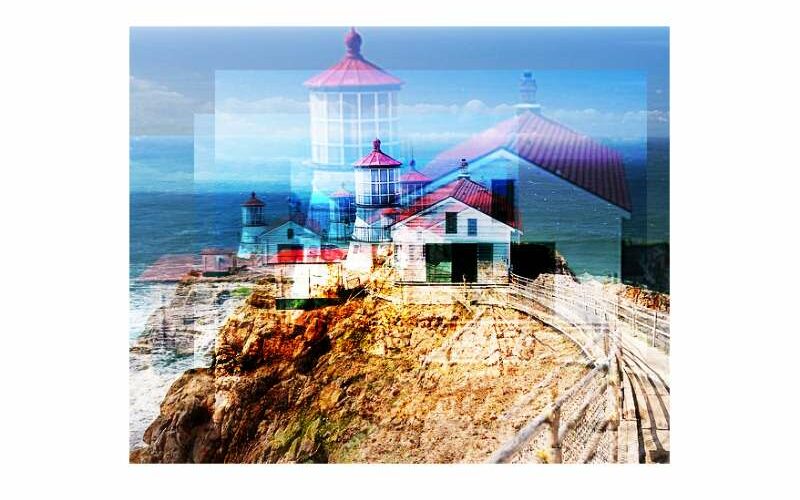
Imagine this—you’ve got the perfect image, but it’s just sitting there on your webpage, static and lifeless. Now picture that same image: popping with color, playing with shadows, and dancing with motion—alive. That transformation is all about CSS image effects, a powerhouse in the web design toolkit.
In the ever-evolving digital landscape, the aesthetic of websites can make or break user engagement.
We’re diving deep to unlock visual mastery through code, transforming plain images into captivating experiences.
By the end of this exploration, you’ll be equipped with techniques straight from the front lines of front-end development.
We’re talking slick hover effects, eye-catching CSS animations, and nuanced filters that change not just images, but the user’s very interaction with them.
Prepare to revolutionize your site’s visual narrative through:
- Master-class CSS filters and blend modes
- Dynamic transitions that command attention
- The secrets behind seamless responsive images
Get ready. It’s not just about learning—it’s about creating digital art.
CSS Image Effects Examples To Check Out
Image Cropped And Hover Zoom Effect
See the Pen
Image cropped and hover zoom effect by Sara B. (@sara_bianchi94)
on CodePen.
Sara B’s magic touch! An image effect that’s all about resizing, cropping, and no background hassle.
CSS 3D Landscape


You know that sensation when you’re on the rooftop and the city’s sprawled below you? That’s what this combo of HTML and CSS does. Crazy cool, right?
Red Dead Redemption 2 Tintype Photo Reveal


Shoutout to Lee Martin! He crafted this stellar image hover effect that’s straight outta a cowboy movie.
Glitch Effect on Hover


JavaScript? Nah, we don’t need it. This glitch effect uses only CSS, my friend.
Image With Backdrop Effect


Props to Bansal for bringing this stunner to life with pure CSS!
3d Layered Image Hover Effects


Layers and layers of HTML and CSS goodness. Perfect for adding some pop to your images!
CSS Glitch Image Effect

The image looks normal. Hover over it, and bam! A wild glitch appears!
Square In Square Grid Images


Crafted by the one and only, Temani Afif.
Venetian blinds


The mouse play here? Super fun! It’s all about switching contrasts and making images pop.
Honeycomb


Brought to you by YCW. It’s got rad image hover effects with some pretty lit shadows. And don’t even get me started on that animation!
Magnifying Glass image effect using CSS


Like using a magnifying glass on your site! The way it enlarges stuff? Super slick for any browser or site design.
Split image

Hover and watch the image magic happen. All about that perfect composition!
Image Selector With Reflection


Use those radio buttons and select away. Reflections, transitions, and hover effects, this one’s a full package.
Angled Full-Width Image Mask


Angles everywhere! HTML, CSS, and a sprinkle of JavaScript did the trick.
When Life Gives You Lemons


All thanks to the talent of Collin Smith.
A Pen by Luchadora


Overlay vibes! Hover over and let the interactivity kick in.
Three Image Transition


Three times the fun with HTML, CSS, and a sprinkle of JavaScript.
Image with reflection effect


Cast a reflection with this mesmerizing CSS image effect.
Split Image On Hover


YJ’s masterpiece. One image, two versions – hover and see!
CSS Blend Modes


Switch up the mood with various CSS blend modes. And don’t sweat; there’s always a plan B!
Displacementmap Image Transition


Wanna get artsy? Use PIXI for that Webgl touch. Cool masking effect to blow minds.
Hover blur effect


Hover over and watch the world blur out, then snap back to clarity. Pure magic.
Simple Pulsing Image Hover Effect


Images with a heartbeat! That blurry square pulsing? It’s all the feels.
Inspirational Hover In Portrait Image


Give your pics some drama. Let them be the star of your site.
Perspective Tilty Images


Want something subtle yet striking? This effect’s got your back.
Revealing Part Of A Background Image


Telephoto lens vibes! Move the mouse and play hide and seek with the background.
Circular Image Transition

Circular transitions, brought to life with CSS and TweenMax.
Tracking image


Simplicity is genius. This effect is just that.
Colored Overlay Using “box-shadow”


Play with colors and shadows to make your images stand out.
Animated Image Clipping


Switch it up with shapes using CSS. Circle, triangle, square – take your pick!
Image Hover Effects Mixins


A big shoutout to Mikey O! Let your images dance on hover.
Image Hover Effect With Caption And Icons

Icons and captions? Yeah, they’re like the secret sauce to making images pop and grab eyeballs.
Magnifying glass effect


Move the mouse over, and boom! It’s like wearing a magnifying glass. Images just get bigger!
Zoom iMage with scale


Hover and watch the text fade away. And all you see is the image. It’s kinda cool, right?
Image Overlay


Gorgeous lines, layers upon layers. It’s one of those “love at first sight” effects.
Direction Aware 3D Hover Effect


Big shoutout to Noel Delgado! Making the web a 3D playground.
Grid Image Effect

Hover and experience the grid life! It’s all CSS magic, my friends.
Mindblowing CSS Image Effects


Animate those filters and watch the web dance. It’s a party out here!
CSS Image Effects For Making Awesome Vintage Photos


Got an image? Want vintage vibes? We’ve got the tricks up our sleeves.
Flexible multi-panel background


Crafted by the legendary Ana Tudor, it’s like art but in HTML and CSS.
Floating Image

A floating sensation. A simple touch of CSS and icons are flying.
CSS Gradient Hover Effect


Quick, simple, and proof that CSS gradients are the real deal.
Pure CSS Image Zoom on Hover Inside a div


Ever felt a calm zoom? Check this out. Perfect for gallery vibes or any image grid.
Spread Image Effect

Image transitions for the cool kids. Spacious and oh-so-attractive. The hover? Just icing on the cake.
FAQ On CSS Image Effects
How do I create hover effects with CSS for images?
You hover over an image and boom—it changes. Magic, right? CSS makes this easy. Use the :hover pseudo-class on your image container.
Don’t stop at opacity; throw in CSS transitions for a smooth fade or scale effect. It’s like adding a dynamic layer that reacts to user interaction. Keep ’em mesmerized.
Can CSS be used to create responsive images?
Absolutely. The trick lies in setting images in relative units like percentages, or using max-width: 100%. CSS lets your images breathe and adjust to different screen sizes.
It’s about responsive web design—making sure your visuals look crisp on a phone or a widescreen monitor.
Is it possible to add filters to images using CSS?
You bet. With CSS filters, you can alter images like a pro—no Photoshop needed. Grayscale, brightness, contrast, and even sepia are at your command. Slap on filter in your CSS and play with parameters. It’s like having a photo editing studio right there in your code editor.
How can CSS be used for image animations?
Ready for some movement? CSS grants life to stills with CSS animations. Keyframes are your choreographers—dictating the dance from one style to another over time.
Combine translate, rotate, and scale transformations; the possibilities are endless. It’s not animation—it’s poetry in motion.
What are the best practices for optimizing CSS image effects for performance?
Keep it lean and mean. Go for CSS performance optimization by using hardware-accelerated CSS properties like opacity or transform.
Steer clear of complex filters in animation—it’s the fast lane to a performance bottleneck. Sometimes, less is more. Remember, fluid experience trumps flashy visuals.
Can CSS create 3D image transformations?
Dive into the third dimension with CSS 3D transforms. Play with rotateX, rotateY, and perspective to add depth to images. It’s not just a trick; it’s about adding a new perspective to tell your story.
Remember to test across browsers—you want consistent wizardry everywhere.
How does CSS control image sizes and aspect ratios?
Size matters. Control it with CSS properties like width, height, and object-fit. Wrap your head around maintaining aspect ratios with padding hacks or embracing new CSS functions like aspect-ratio.
Harmony in size and form—that’s the goal. Every pixel perfectly in place.
What’s the difference between CSS background images and HTML <img> elements?
Think context. CSS background images are about design, setting the stage with background-size or background-position.
HTML <img> tags—those are your content’s lead actors, armed with attributes for accessibility and responsive web design. One’s a support act; the other’s in the spotlight.
Can CSS make images accessible for visually impaired users?
Inclusivity is non-negotiable. Use alt text with HTML <img> tags—CSS can’t do that. But, CSS can support with high contrast and easy-to-read visual cues. It’s about Web Accessibility Initiative principles—making your images not just seen but also understood.
How can CSS image sprites improve my webpage’s performance?
Old school but gold. Image sprites combine multiple images into one. The result? Fewer server requests, faster load times. CSS works the show—controlling which segment is displayed using background-position. It might seem like a juggling act, but it’s a performance win.
Conclusion
Wrapping up, we’ve journeyed through a landscape where CSS image effects transform static pictures into interactive storytellers. It’s been a deep dive, not just into the ‘how’ but the ‘wow’ of visual wizardry.
What’s clear is that:
- A splash of CSS filters here, a dash of animations there—each page turns into a canvas.
- Grasping the ropes of responsive design ensures that not a single visitor misses out on the show, regardless of their device.
- Embrace the optimization game; accessibility is a must, not a maybe.
Mark these words; the journey doesn’t end here. Continuously adapt, test, and spice things up with these techniques. Every line of code fine-tunes the user’s interaction with those images—an interaction that can stay with them, pleasantly memorable.
So, wield your newfound CSS superpowers wisely. Threading aesthetics with performance, that’s true art. It’s now over to you—go create, innovate, and elevate those digital experiences.
If you liked this article about CSS image effects, you should check out this article about CSS page transitions.
There are also similar articles discussing CSS toggle switches, CSS galleries, CSS input text examples, and CSS 3D buttons.
And let’s not forget about articles on CSS blur effects, CSS select examples, CSS charts, and CSS spinners.